Your personal command center

Your whole life, actually in sync.

Tasks, habits, journaling and weekly reviews — plus Zeus, an AI coach who checks in like a person. One app, synced instantly across Chrome and iPhone.

Get notified — Chrome Get notified — iPhone
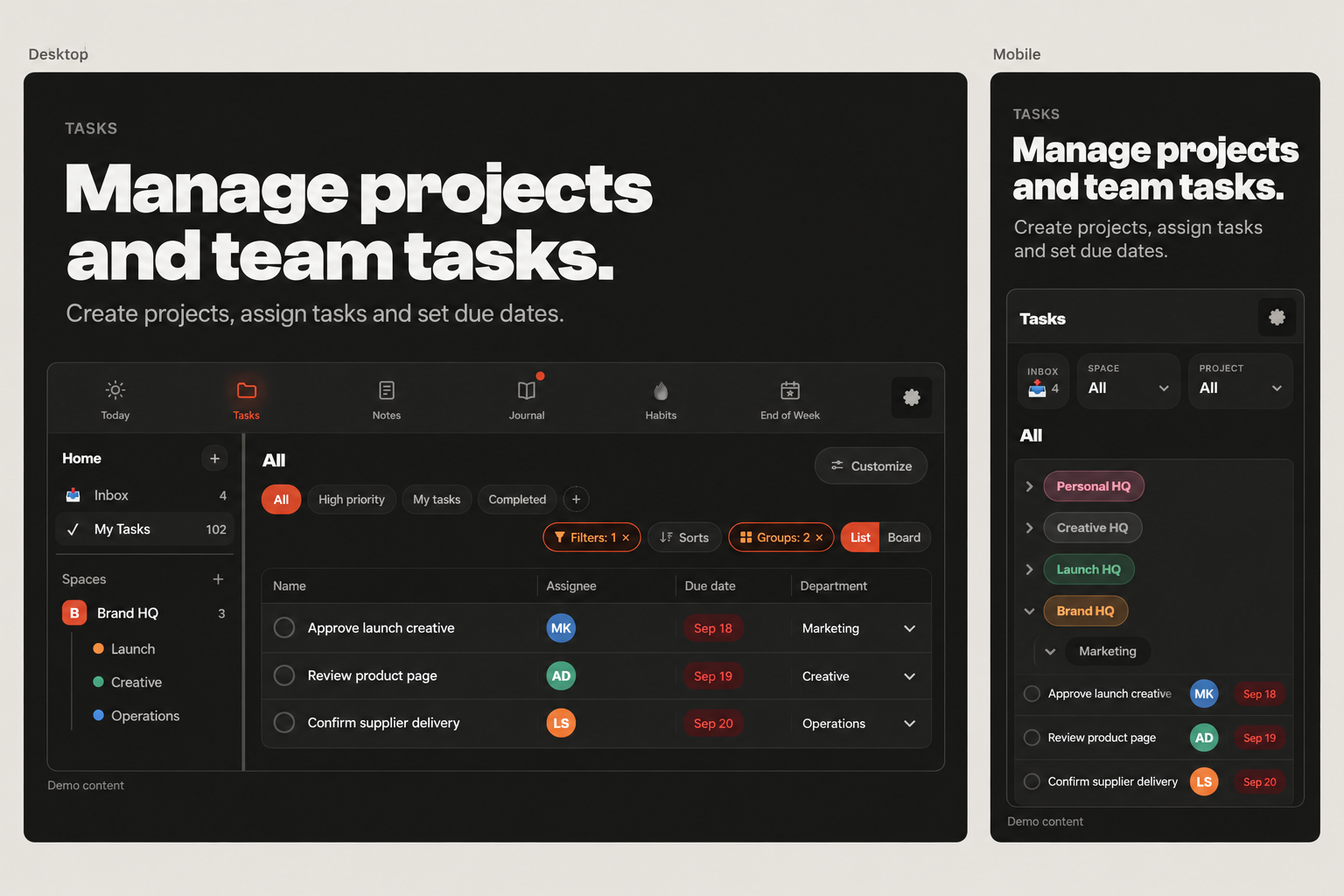
Swing's Tasks view, grouped by project
🖥️ Chrome extension 📱 iPhone app 🔄 Synced in real time

Same account, same day, same data — the second you touch it on either device.

The old way vs. Swing

Five apps to run one life. Now it's one.

Notion for the plan. Asana for work. A habit tracker. A journal app. A calendar none of them talk to. Swing replaces the whole stack — not with more features, with fewer apps.

Before
PlanningNotion doc you stopped opening
WorkAsana board for the team
HabitsTracker app you forget by 11am
ReflectionJournal app, three folders deep
ScheduleA calendar that syncs with none of it
With Swing
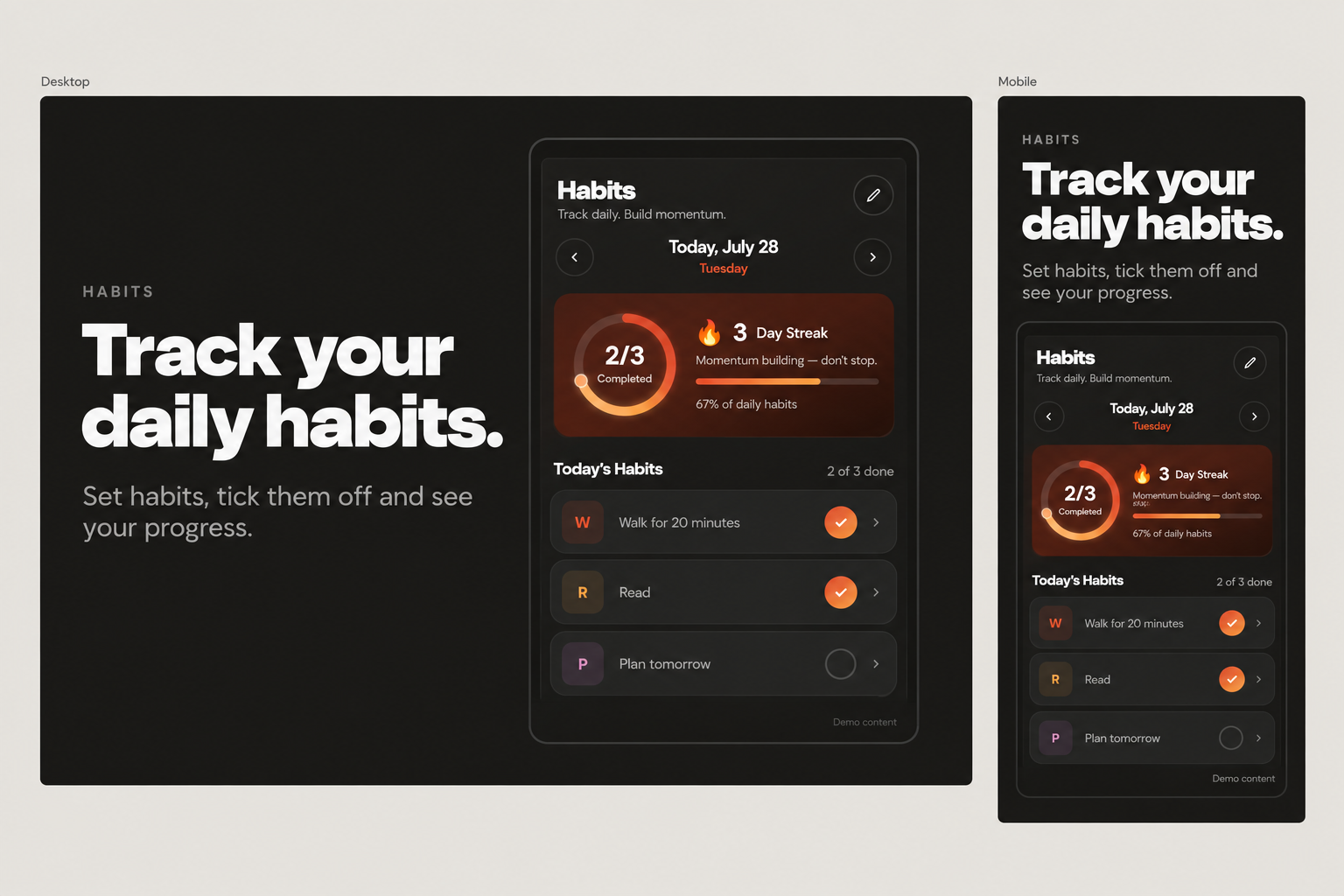
Swing's Habits view with streak and score
Everything, in one place

One app. Every part of your day.

Four rituals, one home. Switch between them without ever leaving Swing — or switching apps.

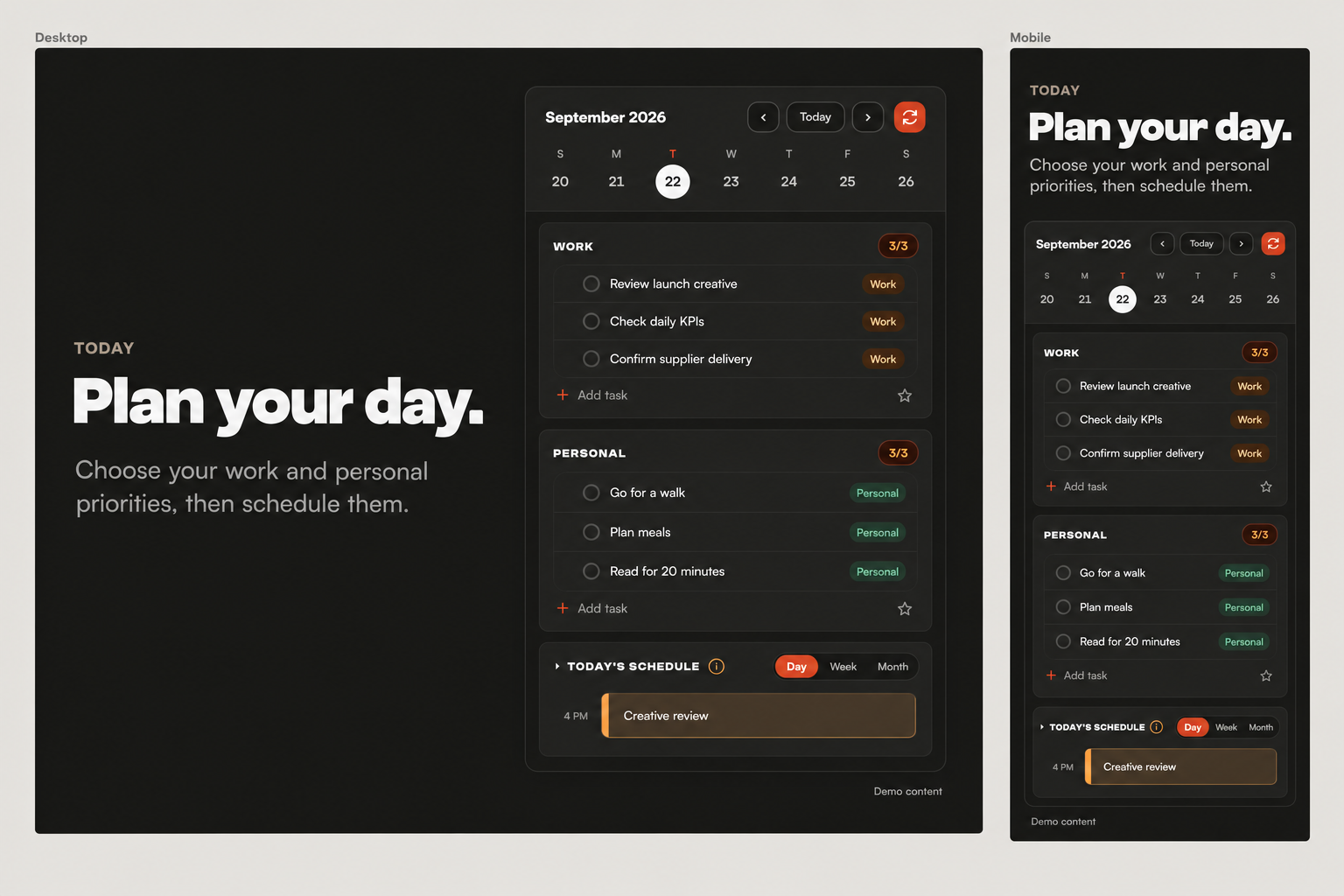
Work, personal, and your day's schedule — together.

Two lists that never blur into each other, a Someday/Maybe bucket for the ideas that aren't for today, and a real drag-and-drop schedule underneath it all.

  • Work and personal tasks, side by side
  • Drag a schedule block anywhere — no phantom duplicates
  • Deletes actually delete the Google Calendar event too
Swing's Today view — Work and Personal tasks plus the day's schedule

Streaks that actually show up when it matters.

Keystone habits you pick during onboarding, a live streak counter, and a habit score ring that updates the second you check something off — on either device.

  • Custom keystone habits, tracked daily
  • Streaks and completion rings, not a buried log
  • Reminders that stop firing the moment you're done
Swing's Habits view with streak and score

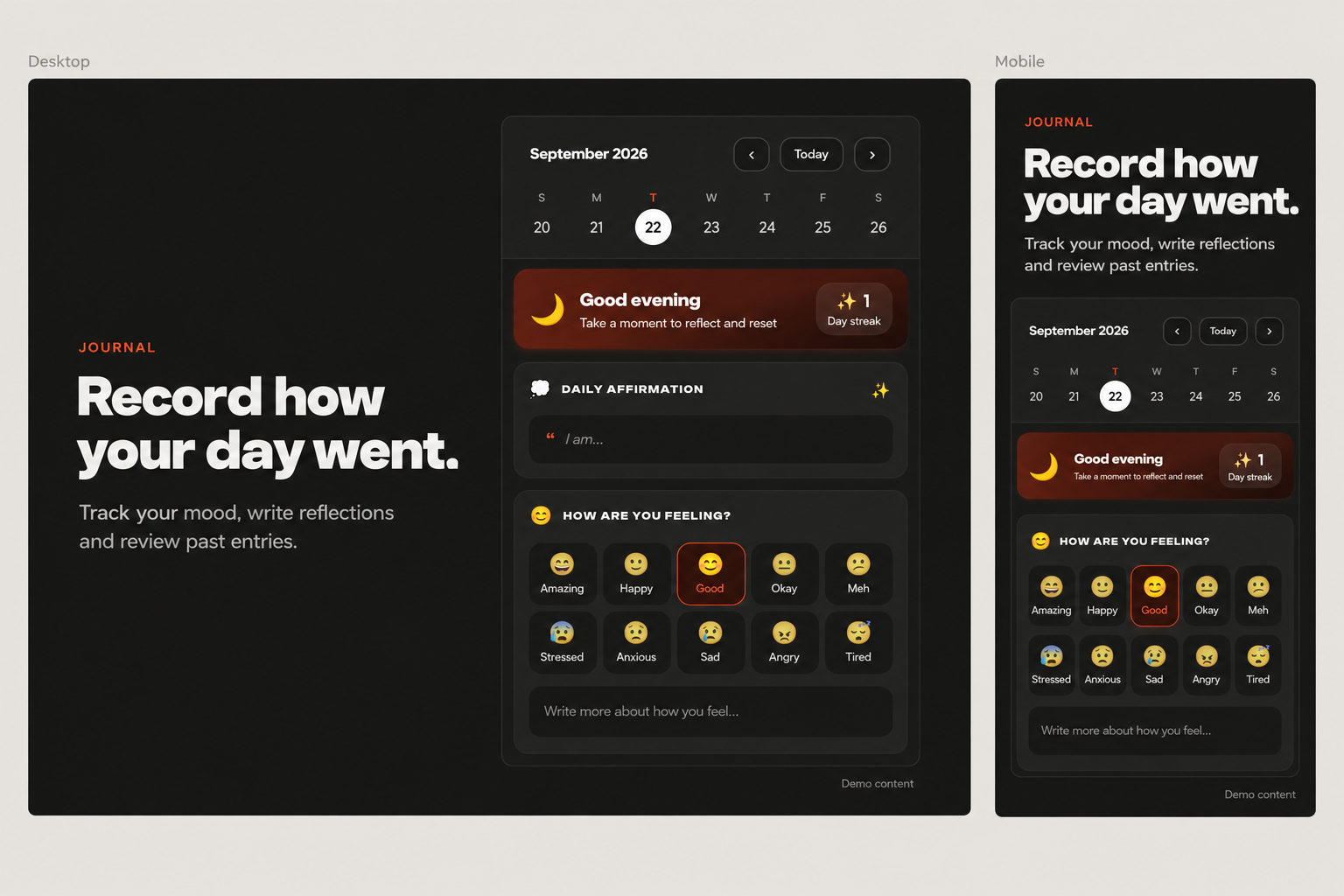
Reflection that takes two minutes, not twenty.

A morning check-in and an evening close-out, built for real use — mood, gratitude, wins, and an affirmation. No blank page, just prompts.

  • Morning mood + gratitude, evening wins + reflection
  • Video journal for the days words aren't enough
  • Every entry saved and searchable by date
TasksJournalHabitsEOW
☀️ Morning
😊 How are you feeling?
Grateful
🙏 I'm grateful for
My health, my team, a good coffee
🌙 Evening
🏆 Today's wins
Shipped the onboarding redesign

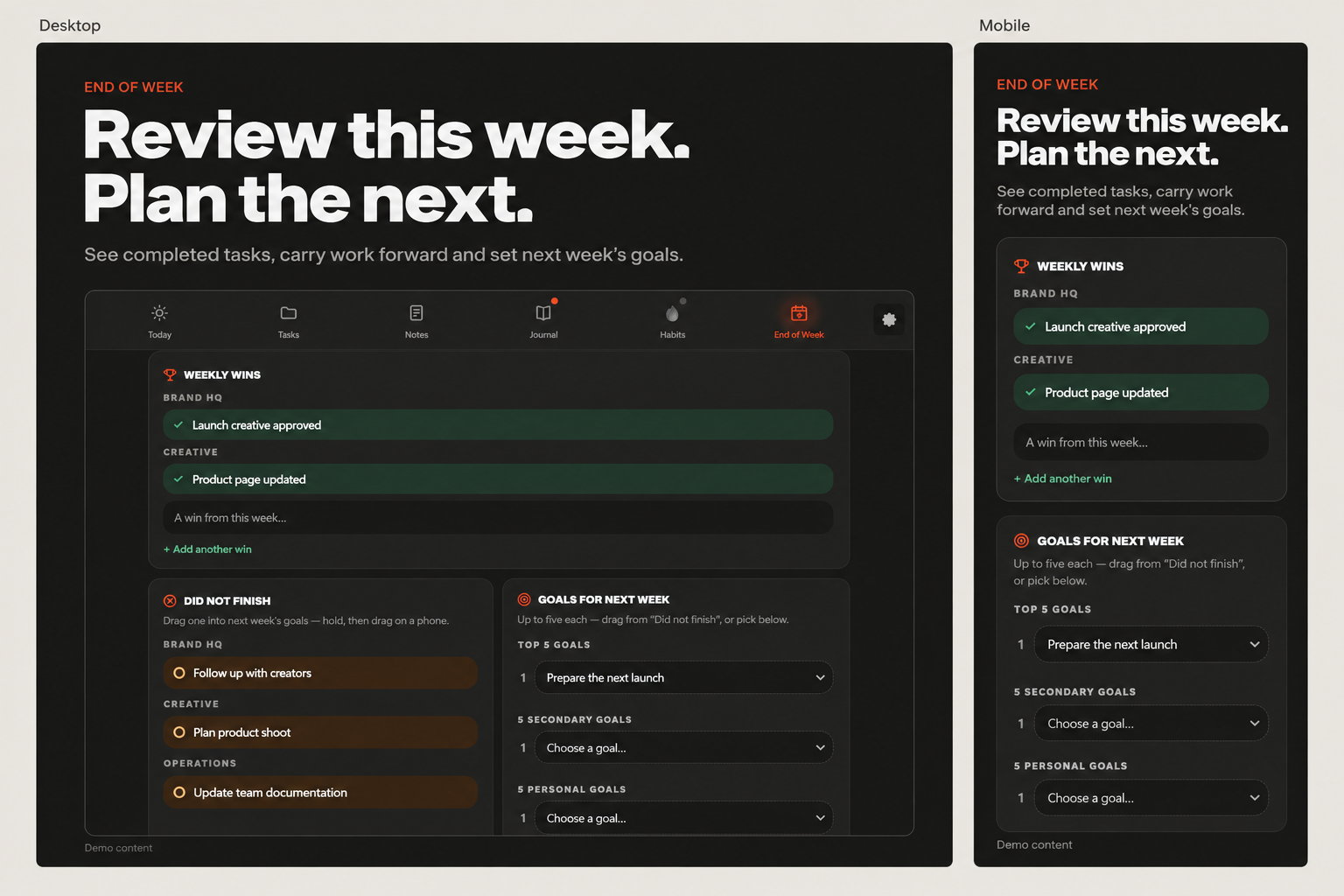
A real weekly review, built into the app.

Not another tab to remember. Close the week, carry over what's unfinished, and set next week's goals before Monday hits — all in one guided ritual.

  • Weekly wins and honest reflection, prompted
  • Unfinished tasks roll into next week automatically
  • Full history, so you can see the arc over months
Swing's End of Week Review with weekly wins

This isn't a to-do list.
It's someone in your corner.

Zeus lives inside Swing — not a separate app, not a browser tab you forget about. He reads your whole day: what's done, what's slipping, what's next. Talk to him like a person, and he'll actually update the app for you.

His coaching style is built on the people who actually get results — Sam Ovens' strategic clarity, Tony Robbins' fire, David Goggins' discipline, Steven Bartlett's edge, and Jimmy Carr's dry, self-deprecating bite when you need calling out.

  • Tell him "I smashed my workout" — he checks the habit off, no app-fumbling required.
  • Ask "where am I at?" and get the real picture, not a vague pep talk.
  • Miss a habit and he escalates — a check-in, then a jab, then a real challenge.
  • Send a voice note, a screenshot, even a Word doc — he reads it and acts on it.
Zeus, Swing's AI coach, checking in on a habit
Under the hood

The details that make it stick.

🔄

Synced everywhere, instantly

Chrome extension and iPhone app, same account, same data. Add a task on your phone and it's already there when you open Chrome.

🔥

Streaks with real accountability

Miss a habit and Zeus notices — a nudge on your phone that escalates the longer you dodge it, with a real, funny way out.

🧠

A knowledge base that's yours

Write down your goals, your vision, and who you're becoming — Zeus reads it every time you talk, so his advice fits your life, not a template.

Built on a method that's actually held up.

Swing's structure follows Getting Things Done — David Allen's system for capturing everything, clarifying what it actually means, and reviewing it on a rhythm. It's been the standard for calm, reliable productivity for two decades. Swing just builds the app GTD never had.

01
CaptureNothing lives in your head. Tasks, ideas, and someday-maybes all have a home the second they occur to you.
02
Clarify & organizeWork vs. personal, dated vs. someday — sorted where it belongs, not left in one giant list.
03
ReflectDaily journaling and a real weekly review close the loop before things pile up.
04
EngageZeus keeps you honest about the gap between the plan and what actually happened.

Swing, wherever you already are.

🖥️ Chrome extension 📱 iPhone app
Get notified — Chrome Get notified — iPhone
Get started

Your whole life, in one place. Today.

Free to use. No credit card. Sign in with Google and everything syncs from the first tap.

Chrome Extension

Get early access

Landing on the Chrome Web Store soon. Drop your email and you'll get an invite the moment it's live.

We'll only email you about Swing's launch.

iPhone App

Get early access

The iOS app is in private testing before its App Store launch. Drop your email and you'll get an invite the moment a public build is ready.

We'll only email you about Swing's launch.

Still deciding

Questions, answered straight.

Is Swing free?

Yes. Tasks, habits, journaling, weekly reviews, and Zeus are all free to use. No credit card required to get started.

Do I need both the Chrome extension and the iPhone app?

No — either one works fully on its own. Sign in with the same Google account on both and everything syncs automatically, but you can use just one if that's all you need.

Where does my data live?

Your data is stored in your own Firebase account tied to your Google sign-in, synced in real time between devices. If you never sign in, the Chrome extension works fully offline using local browser storage.

I already use Notion or Asana — why switch?

You don't have to rip anything out on day one. Most people start by moving their daily tasks and habits into Swing, since that's the part that was scattered across the most apps, then bring the rest over once it clicks.

Is Zeus going to spam me with notifications?

No. Zeus only follows up on habits you've set up yourself, and every escalation stops the moment you mark it done. Miss it entirely and the nudges stop by end of day — no guilt-tripping into next week.